
CVE-2026-41940 cPanel Flaw: Patch, Lock Down and Recover Your Server
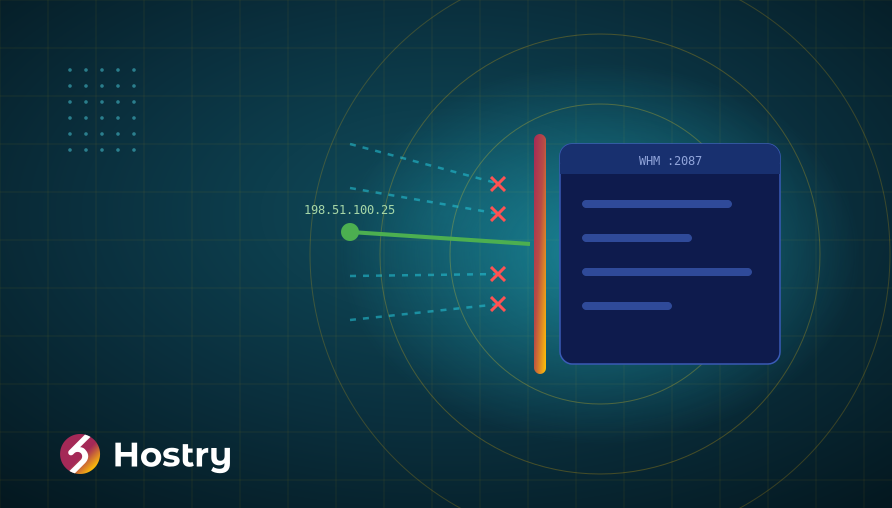
CVE-2026-41940 let anyone who could reach a cPanel or WHM login page act as the server administrator, and attackers used it for weeks before the April 28, 2026 fix.
If you run your own WHM server, the CVE-2026-41940 cPanel fix is only part of the job: you also need to stop exposing the panel to everyone and decide whether the server can still be trusted. On managed cPanel web hosting, the provider updates the panel for you, but your own passwords and backups are still your responsibility.
This guide is for administrators of self-managed cPanel & WHM servers and for customers of shared cPanel hosting. It leaves out exploit details and covers only the steps that close the hole and limit the damage.
CVE-2026-41940 cPanel timeline: what happened
On April 28, 2026, cPanel began shipping emergency builds, adding more release lines over the following week, and published its security advisory for CVE-2026-41940. The 136.0.5 changelog entry describes the fix in a single line: an issue with session loading and saving. In practice, it was a cPanel authentication bypass that affected cPanel & WHM versions after 11.40, including DNSOnly, and also the WP Squared product.
The NVD entry rates it critical: CVSS 3.1: 9.8 and CVSS 4.0: 9.3. CISA added it to the Known Exploited Vulnerabilities catalog on April 30, 2026, two days after the fix. The flaw had already been used as a zero-day, and security firms reported exploitation for weeks before the patch. Earlier start dates have circulated, but they remain unconfirmed.
The Shadowserver Foundation tracked roughly 44,000 unique IP addresses tied to cPanel exploitation in the days after disclosure. Some providers also reported ransomware activity on compromised servers, although that has not been confirmed as a common outcome.
Why exposed control panels keep getting hit
A hosting control panel is the most valuable login on the machine. WHM can create accounts, edit DNS, read every mailbox and run commands as root. When a flaw in the login and session handling lets the panel treat an anonymous request as an administrator, one bug equals the whole server, plus every website and mailbox on it. Search engines such as Shodan index exposed cPanel and WHM login pages, so attackers can pull a list of candidate servers without running a scan of their own.
Fast patching could not help during the weeks when no patch existed. A panel that only answered trusted IP addresses could, which is why the steps below keep restricting WHM access in place for good.
Step 1. Confirm your version and update
Start by checking which build the server runs. Log in over SSH as root and run:
/usr/local/cpanel/cpanel -VYou can also see the version on the WHM home page. cPanel often prints versions without the leading 11., so 136.0.5 and 11.136.0.5 are the same build. Compare your result with the minimum patched builds from the CVE-2026-41940 cPanel advisory:
| Release line | Minimum patched build |
|---|---|
| cPanel & WHM 86 | 11.86.0.41 |
| cPanel & WHM 94 | 11.94.0.28 |
| cPanel & WHM 102 | 11.102.0.39 |
| cPanel & WHM 110 | 11.110.0.97 |
| cPanel & WHM 118 | 11.118.0.63 |
| cPanel & WHM 124 | 11.124.0.35 |
| cPanel & WHM 126 | 11.126.0.54 |
| cPanel & WHM 130 | 11.130.0.19 |
| cPanel & WHM 132 | 11.132.0.29 |
| cPanel & WHM 134 | 11.134.0.20 |
| cPanel & WHM 136 | 11.136.0.5 |
| WP Squared | 136.1.7 |
Builds released after these are patched too. If your server sits on a line that is not in the table, or on a very old operating system, read the advisory for the exact upgrade path rather than guessing.
Run the update
In WHM, open Upgrade to Latest Version and start the upgrade. From the shell, the same job is done by the update script, followed by a version check and a restart of the panel service:
/scripts/upcp --force
/usr/local/cpanel/cpanel -V
/scripts/restartsrv_cpsrvd --hard
The update can take several minutes on a busy server. Run it inside screen or tmux so a dropped SSH connection does not interrupt it halfway.
Turn on automatic updates
Go to WHM » Server Configuration » Update Preferences and set cPanel & WHM updates to automatic on a supported tier. If someone pinned the server to a specific version years ago “for stability”, that pin is now a liability: pinned servers do not receive security builds on their own and must be updated by hand. An automatic update can occasionally change how the panel behaves. In exchange, security builds arrive without anyone having to notice the advisory first.
Step 2. Stop exposing the panel to the whole internet
The CVE-2026-41940 cPanel incident showed that patching alone leaves a gap. cPanel answers on ports 2082/2083, WHM on 2086/2087 and Webmail on 2095/2096 (plain and TLS in each pair). Few servers need all six open to the world.
Start with WHM: only you and your team need it, so allow-list your office or VPN addresses and block everyone else. A single-owner server can lock all six ports down; a reseller server may need cPanel open but can still keep WHM private.
Example with UFW (Ubuntu)
Replace 198.51.100.25 with your own static IP. Add the allow rules first, then the deny rules, because UFW checks rules in order:
sudo ufw allow from 198.51.100.25 to any port 2086,2087 proto tcp
sudo ufw deny 2086,2087/tcp
sudo ufw status numbered
Example with CSF
Many cPanel servers still run CSF, now maintained as a community fork. Remove 2086 and 2087 from TCP_IN in /etc/csf/csf.conf (and from TCP6_IN if IPv6 is enabled), then allow your address for those ports and reload:
echo "tcp|in|d=2087|s=198.51.100.25" >> /etc/csf/csf.allow
echo "tcp|in|d=2086|s=198.51.100.25" >> /etc/csf/csf.allow
csf -r
Keep a way back in before you apply any rule. Have a second session open and know how to reach your provider’s web console, in case your home IP changes and you lock yourself out.
WHM security best practices beyond the firewall
None of the settings below would have blocked the CVE-2026-41940 cPanel bypass by itself. Together they make the panel harder to reach and limit what an intruder can do afterwards:
- Host Access Control: in WHM, this adds a second, panel-level allow list on top of the firewall.
- Service Subdomains: addresses such as cpanel.yourdomain proxy the panel over ports 80 and 443. If you restrict the panel ports, also disable them in WHM Tweak Settings, or the panel stays reachable another way.
- Turn on two-factor authentication in WHM » Security Center » Two-Factor Authentication for root and every reseller, so a phished or reused password is not enough to log in.
- Strong, unique passwords for root, resellers and API tokens, stored in a password manager.
- Disable services you do not use, such as FTP or a second webmail client, in WHM Service Manager.
Step 3. If the server was reachable before you patched
If WHM was open to the internet and the server did not get the CVE-2026-41940 cPanel fix until after April 28, 2026, assume compromise is possible even if everything looks normal.
You do not need to become a forensic analyst to act sensibly. Work through these steps in order:
- In WHM, list all cPanel accounts and resellers and question any you do not recognize. Check recent logins and scheduled tasks for anything you did not set up. Note what you find before changing it, so you can share it with your provider.
- Change every credential: root, resellers, cPanel users, email and database passwords, plus API tokens.
- Generate new SSH keys and remove the old ones.
- Run the detection tool linked from the cPanel advisory. A clean result does not prove the server is clean.
- Open a ticket with your provider, whose support team may have network-level data you cannot see from inside the server.
Rebuild instead of “cleaning”
If you find real signs of intrusion, the safest route is a fresh operating system with a fresh, patched cPanel install, then restoring data (site files, databases, mail) from backups. Cleaning a server that someone controlled as root means trusting that you found every change they made, and there is no reliable way to confirm that. Rebuilding costs a few hours; a hidden backdoor can cost months.
Finally, tell your customers. If you host sites or mailboxes for others, they need to change their own passwords and may have obligations of their own if personal data was on the server.
Backups that survive a server compromise
An attacker with root on a cPanel server can read, encrypt or delete anything stored on that server, including local backups in /backup. A backup only helps after a compromise if it lives somewhere the compromised machine cannot erase. The classic 3-2-1 rule still fits: three copies of the data, on two kinds of storage, with one copy offsite.
- Give the backup destination its own credentials, so the server can upload new copies and has no right to delete old ones.
- Versioned history: keep enough daily and weekly copies to reach back before a possible intrusion date. The CVE-2026-41940 cPanel flaw was exploited for weeks before the fix, so last night’s copy may not be enough.
- Restore one account to a spare server every few months.
On Hostry cPanel hosting, regular backups are part of the plan, and you restore files and databases from cPanel yourself. On a self-managed VPS, backups are your job. WHM’s Backup Configuration can send account backups to an additional remote destination, which is a good starting point for offsite copies under your control. Our article on why backups matter covers the basics in more depth.
Managed cPanel hosting vs self-managed WHM: who patches what
When the advisory came out on April 28, every server owner had to answer one question: who runs the update? On shared hosting, cPanel hosting security is a joint job, while on a VPS with WHM almost all of it is yours:
| Task | Managed cPanel hosting | Self-managed WHM on a VPS |
|---|---|---|
| cPanel & WHM updates | Provider | You |
| Operating system patches | Provider | You |
| Firewall rules for panel ports | Provider | You |
| Server-level backups | Provider, with restore from cPanel | You, preferably offsite |
| Your cPanel password and 2FA | You | You |
| CMS, plugins and themes | You | You |
| Incident response for the server | Provider, with your input | You |
A KVM VPS with WHM gives you full control over resources and configuration, which suits teams that already patch servers on a schedule. If nobody on your team will run upcp on a Tuesday night when an advisory lands, managed hosting is the safer default.
The response checklist at a glance
Here is the whole CVE-2026-41940 cPanel response in one table, ordered by urgency:
| Action | Why it matters | Priority |
|---|---|---|
| Check the build and run upcp | Closes the vulnerability itself | Today |
| Enable automatic updates | Shrinks the gap for the next advisory | Today |
| Allow-list WHM ports | Protects the panel during the next zero-day | Today |
| 2FA for root and resellers | Limits damage from stolen passwords | This week |
| Rotate passwords, tokens and keys | Invalidates anything taken before the patch | This week if exposed |
| Offsite, versioned backups | Gives you a clean point to rebuild from | This week |
| Test a restore | Proves the backups actually work | This month |
What to do next
Once the panel is patched against the CVE-2026-41940 cPanel flaw and fenced off, use the momentum to tighten the rest of the server:
- Harden the operating system underneath WHM with our checklist to secure a new Linux VPS: SSH keys, firewall defaults and automatic OS updates.
- Set a backup schedule and put a calendar reminder for your first test restore.
- Subscribe to cPanel security advisories so the next one reaches you on the day it is published.
- Revisit whether you need WHM at all. If you mostly host a few sites, read what a personal cPanel hosting account gives you without running the server yourself.
FAQ
Is my server safe once it runs a patched build?
The CVE-2026-41940 cPanel patch closes the hole from the moment it is installed. Anything an attacker changed before that stays in place, so if the panel was reachable from the internet before the update, review accounts, rotate credentials and consider a rebuild as described above.
I only have a shared cPanel hosting account. What should I do?
Your provider is responsible for updating the panel. On your side, change your cPanel and email passwords, enable two-factor authentication, and check that your sites, mailboxes and FTP accounts look as you expect. Ask support if anything seems off.
Should I keep the panel ports restricted after patching?
Yes, at least for WHM. Before the CVE-2026-41940 cPanel patch existed, an allow-list was the only thing that kept the panel out of reach, and it will do the same during the next zero-day. Keep cPanel and Webmail open only if your users really need browser access from anywhere.
Does two-factor authentication stop an authentication bypass?
Not this kind, because the bypass skipped the login checks altogether. 2FA still matters: it stops attackers from simply logging in with passwords they collected during a breach, which is often their next step.
Rather leave panel updates to someone else? Hostry cPanel web hosting in Dallas or Amsterdam comes with regular backups you can restore from cPanel and free migration from your current host.