The Magnificent tool – Your personal Cpanel Web Hosting

Hostry has launched a new product for its customers: Web Hosting, powered by cPanel. This product has a huge number of nice features and will definitely please you with its functionality! There’re three rates for you:
- Basic
- Advanced
- Pro
The following will offer a brief description of all the important features and functionality for working with cPanel on your Web Hosting service. From the moment you purchase the Web Hosting service, you will be greeted with a notice that says the following:
cPanel, L.L.C. uses Interface Analytics to help us understand how our customers use cPanel & WHM. We take your privacy very seriously, and you can stop data collection at any time. Find out more about Interface Analytics. Will you allow Interface Analytics data collection for your account?
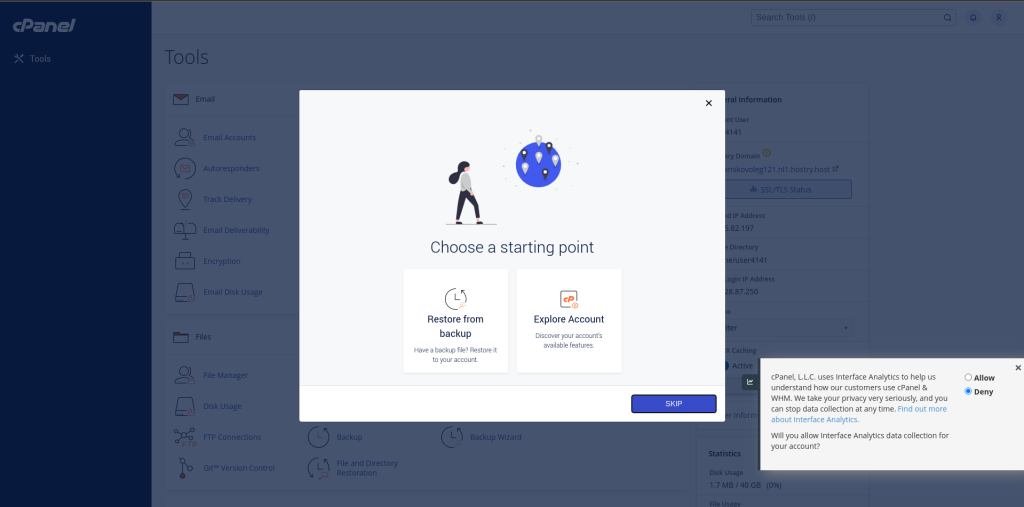
This is a standard notice of data processing and ground rules. Also, you will be able to allow the collection of data by the Interface Analytics tool for your personal account and get started.
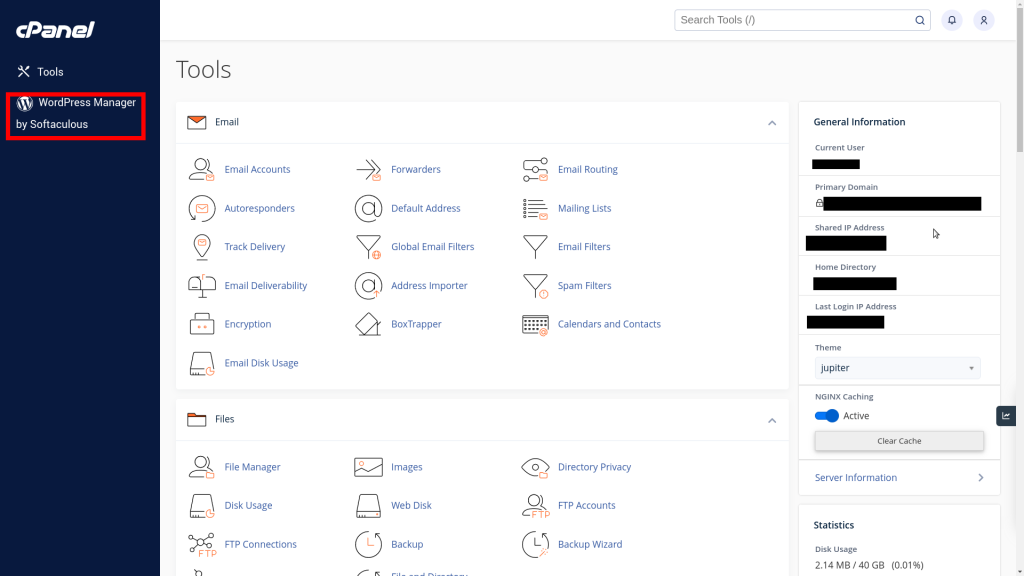
The first thing to note is providing you with personal details to log into your Web Hosting account. The data for the cPanel control panel will be sent to you, and some personal information will be duplicated to the right of the screenshot shown below. This information is of the following type: Current User, Shared IP Address, Home Directory, Last Login IP Address (so you can keep track of this) and also other information about your server.
This information includes: cPanel Version, Operating System, Hosting Package, MySQL Version, PHP Version and more. Next, on the left you will be offered what we think is the most important feature of Web Hosting – the WordPress Manager by Softaculous. These are more than 180 ready-made solutions that can be installed in just one click!
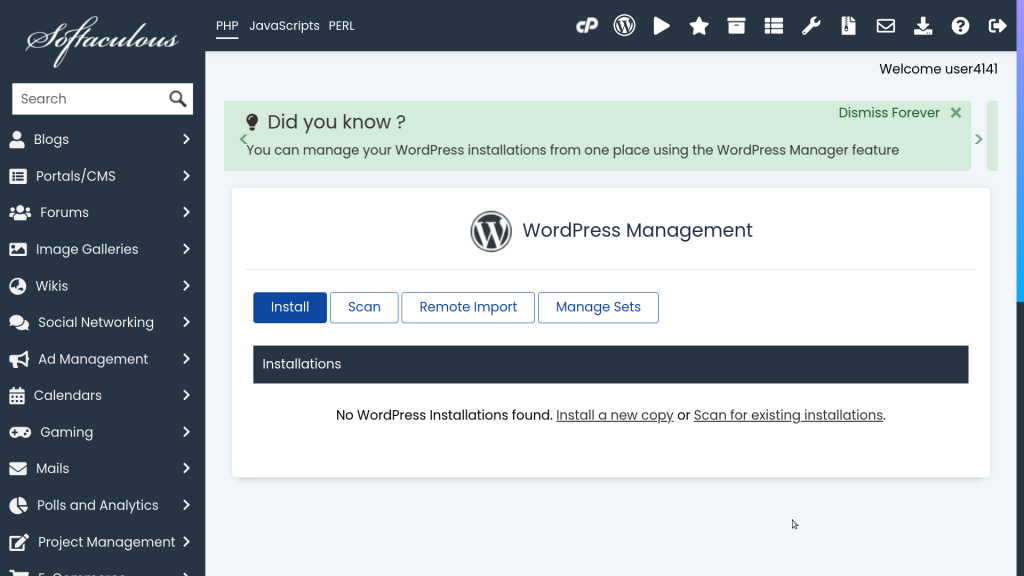
By going to the “WordPress Manager by Softaculous” section, you can find many features for yourself, which are displayed below. They can be used for your future site and are ready for quick installation. You can install a large number of sections, such as:
- Blog
- Social networking
- E-commerce
- Frameworks
- Music
- Video etc
By returning to the original page, you will be able to manage many tools. These tools are extremely important and consist of many sections: Mail, Files, Database, Domains, Metrics, Security, Software, Advanced and Preferendces. All these sections are divided into other subcategories where you can manage, for example, your email. You can also set up your domain and create an email account in it.
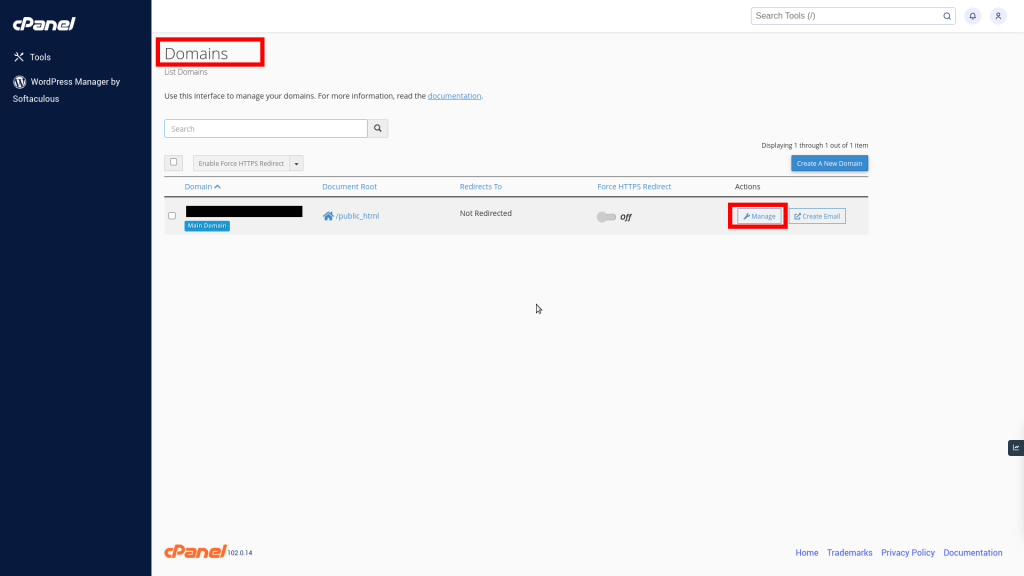
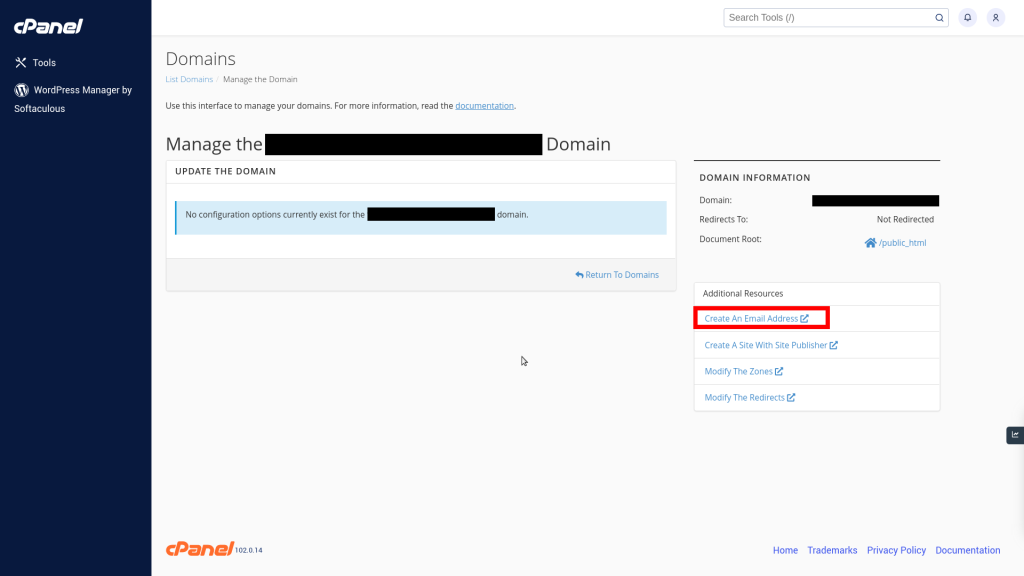
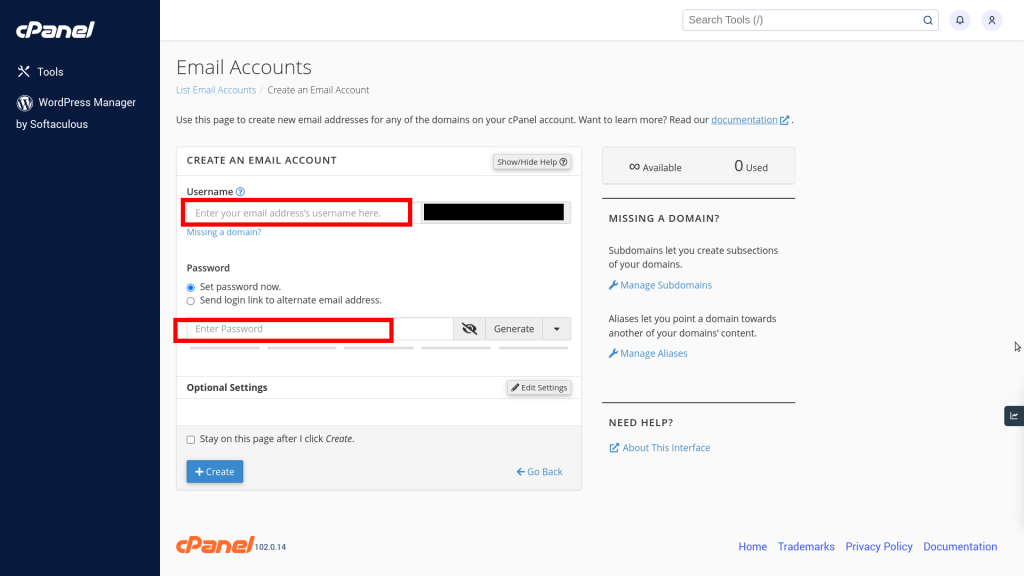
In the Email Accounts section, you will be able to use this page to create new email addresses for any of the domains in your cPanel account. Enter your Username and also come up with a strong Password. The cPanel tool will do the rest for you, you just need to fill in the appropriate lines.
In the “Files” section, you can access the file manager administration process, disk usage, backups, and many other functions. I would like to talk more about the “Backup” function in this section. By default, Backup is available to you and also Full Backup, which can be completely customized for you. You can Select an account backup date to download.
Below are all the sections where Backup is available for you:
- Download a MySQL Database Backup
- Download Email Forwarders
- Download Email Filters
- Download Email Filters
Download a zipped copy of your entire site or a part of your site that you can save to your computer. When you backup your website, you have an extra copy of your information in case something happens to your host.
Domain Management Using Your Web Hosting
A great feature is available in your cPanel Web Hosting. It is referred to as the “Domains” section and many sections are available in it.
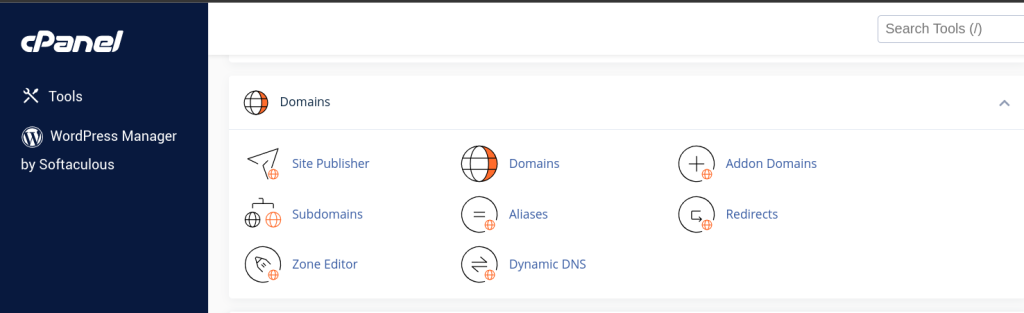
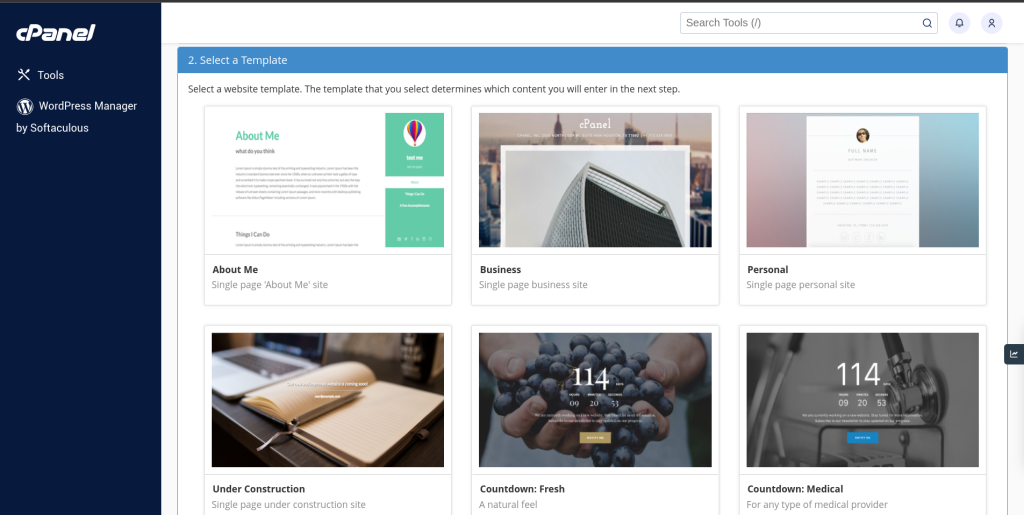
For example, in the “Select a Template” section, there are many Templates available to you, and you can manage your site and quickly administer the appearance.
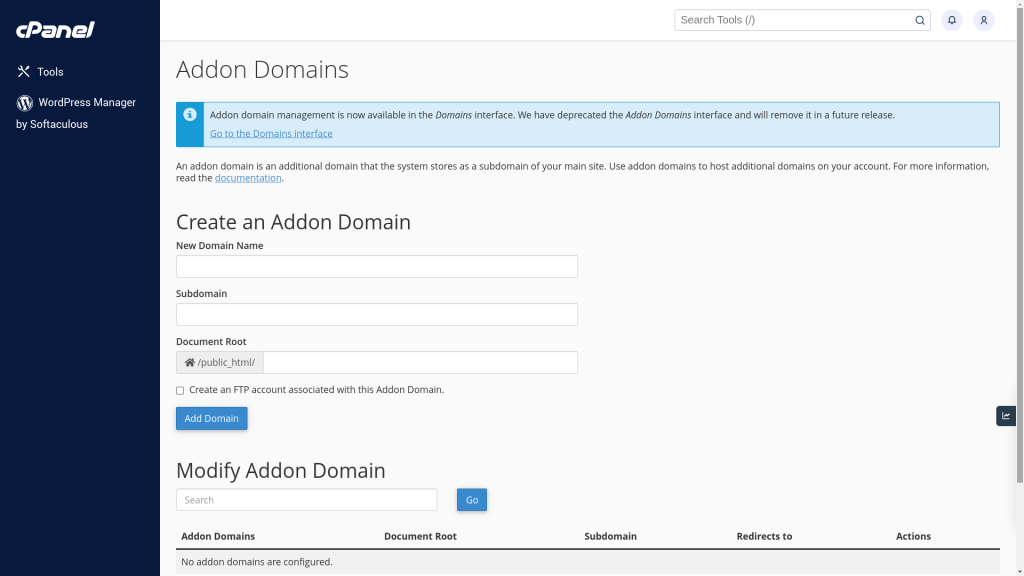
Also, cPanel on Web Hosting by Hostry is available for specifying thousands of domains and subdomains for various projects. You can manage multiple domains and do it all on one platform. Additional domains. It is in this section that you can add new domains that you need to work. An additional domain is an additional domain that the system stores as a subdomain of your main site. Use additional domains to host additional domains in your account. Read the documentation for more information.
It is very important to take note of the following fact! If you purchased a domain from Hostry, you will automatically have NS records configured in the DNS server:
- ns1.hostry.com
- ns2.hostry.com
- ns3.hostry.com
- ns4.hostry.com
If you want to use your domain in cPanel Web Hosting, you should direct it to the following NS records, namely:
- ns1.hostry.host
- ns2.hostry.host
SSL Management Using Your Web Hosting
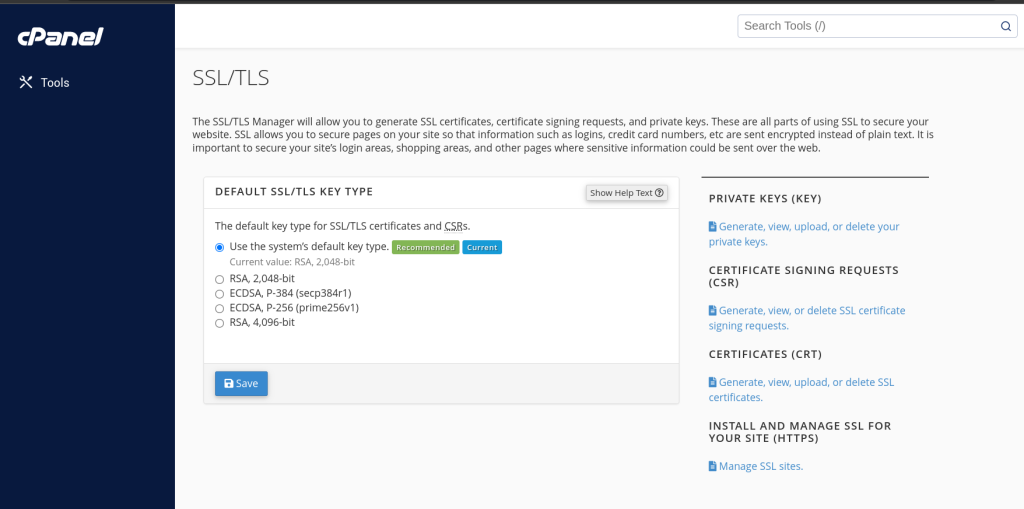
Prescribing a security certificate is very important for your site. Under “Security” you can find the SSL option. With this option you can configure your security certificate. We provide you with a small instruction on how to do this. The following important elements have already been generated for you: PRIVATE KEYS (KEY), CERTIFICATE SIGNING REQUESTS (CSR), CERTIFICATES (CRT) and you will also be able to perform full administration of the certificate in the “INSTALL AND MANAGE SSL FOR YOUR SITE (HTTPS)” section. You should copy the key and then you can configure the certificate according to the documentation, which is displayed here.